How does it work?
This option, available only for WordPress posts, uses embeddings to analyze your site content and automatically suggest relevant internal links between articles.
Unlike other available search engines, which rely on traditional approaches such as categories or tags to identify related content, this system is able to understand the overall meaning of texts and identify truly relevant connections between articles.
In this way, the system identifies related posts by comparing embeddings using a cosine similarity algorithm, which measures how close two pieces of content are from a semantic perspective.
This feature will not be available while the activation plugin is installed on your website.
If you are using the activation plugin, please complete the license activation process and remove it once the license has been correctly activated.
What are embeddings?
Embeddings are numerical representations of textual content. In practice, each article is transformed into a vector, that is, a sequence of numbers that describes its meaning.
This allows the system to compare content at a semantic level: texts that are similar in meaning will have similar numerical representations, even if they use different words.
Why use embeddings?
Using embeddings allows you to overcome the limitations of methods based solely on keywords, categories, or article titles.
In particular, it prevents articles in the same category from always showing the same related content, improving the variety and quality of suggestions.
By analyzing the content of each post, suggestions become more accurate because they take into account context and meaning, allowing you to link truly related content even when they do not share identical terms or belong to the same categories.
This approach improves the quality of internal linking and remains effective even on sites with a large number of contents.
How to get started
To begin, you need to select a provider for generating embeddings.
You can use OpenAI APIs, which require an API key and active credits, or choose a local model using Ollama, which requires a more advanced setup and configuration.
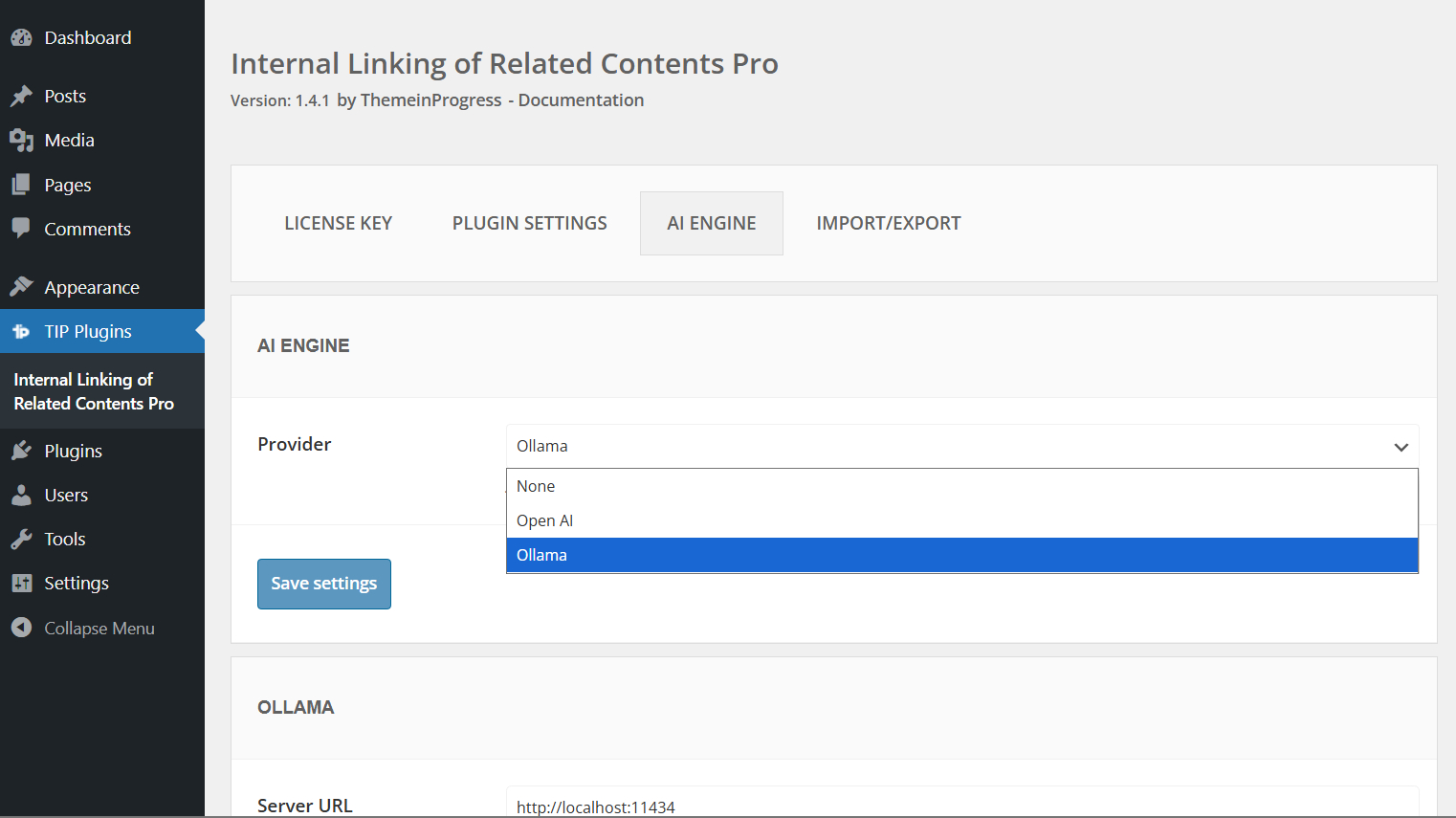
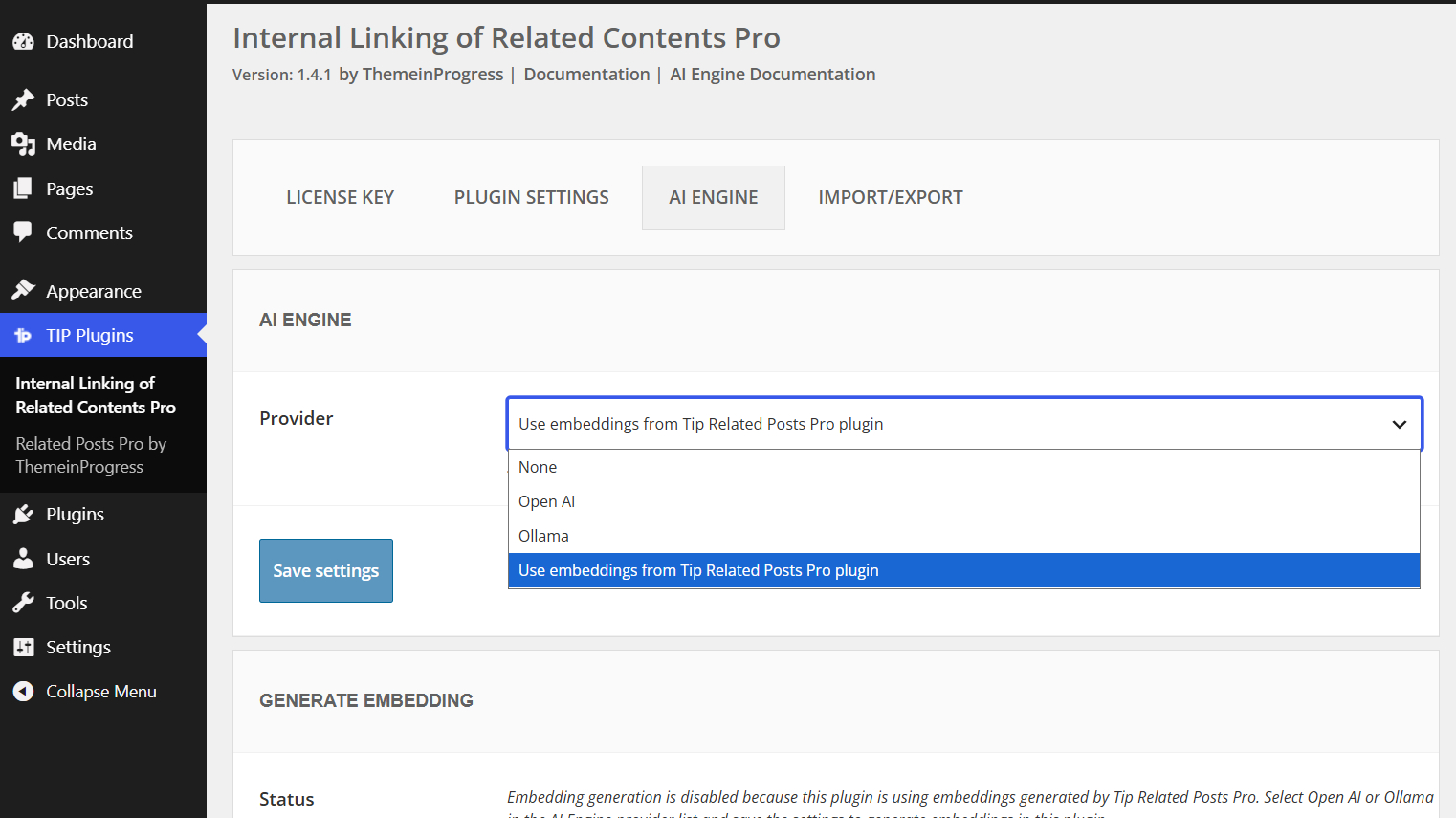
Note: If you are already using Tip Related Posts Pro, you can select the Use embeddings from Tip Related Posts Pro plugin provider to reuse existing embeddings instead of generating them again.
This allows both plugins to share the same embeddings database and avoids duplicate processing and storage.
Regarding OpenAI, you can generate a new API key by following these steps:
- Go to the OpenAI website and log into your account
- Click the “Create API key” button in the top right corner
- In the popup, enter an optional name for the key
- Click “Create” to confirm and copy the API key
It is important to store the API key securely, as it will not be possible to view it again later.
Once you have the API key, you will need to purchase credits to use it within your site.
Credits can be purchased using the payment methods supported by the platform.
In most cases, a valid payment card is required; the availability of prepaid cards or other methods (such as direct debit) may vary depending on the country and account configuration.
If you do not have access to a traditional card, you can consider alternatives such as Revolut, which allows you to generate virtual cards usable for this type of purchase.
This is a commonly adopted solution, but it is always recommended to verify compatibility with your account.
OpenAI supports long content through automatic chunking, but extremely long articles may require many API calls and can fail due to server timeout, rate limits, or runtime constraints. Articles above tens of thousands of words should be considered edge cases.
Embeddings generation
Once the provider has been selected, you can choose a compatible embeddings model directly from the plugin settings.
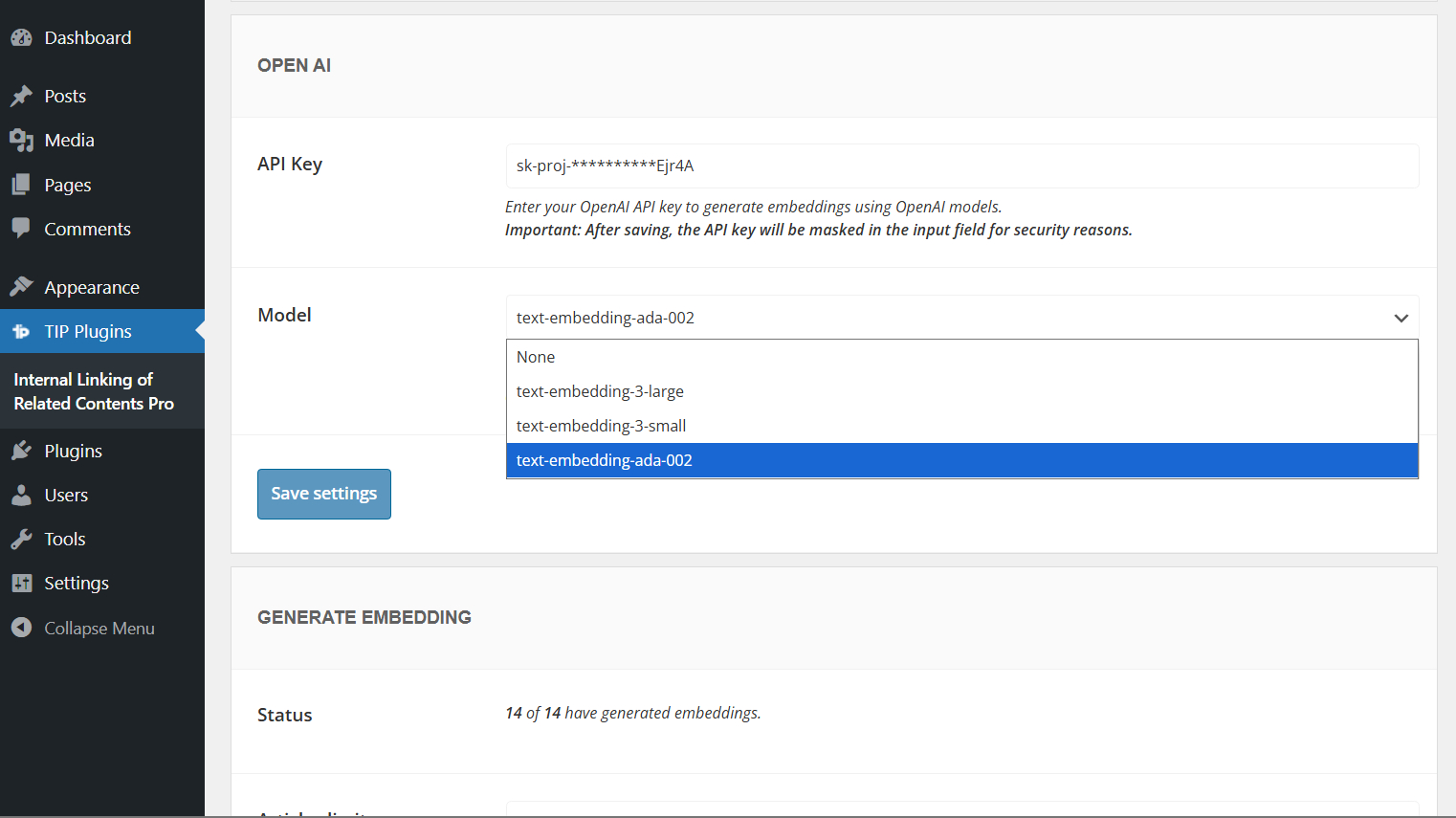
OpenAI provides different embeddings models depending on the balance you want between cost, performance, and storage usage.
- text-embedding-3-small: recommended for most websites. It offers a good balance between quality and cost, making it suitable for generating embeddings across many articles.
- text-embedding-3-large: the most powerful option, suitable when you want higher semantic accuracy.
- text-embedding-ada-002: previous-generation model, still usable for compatibility purposes, although newer models are generally recommended.
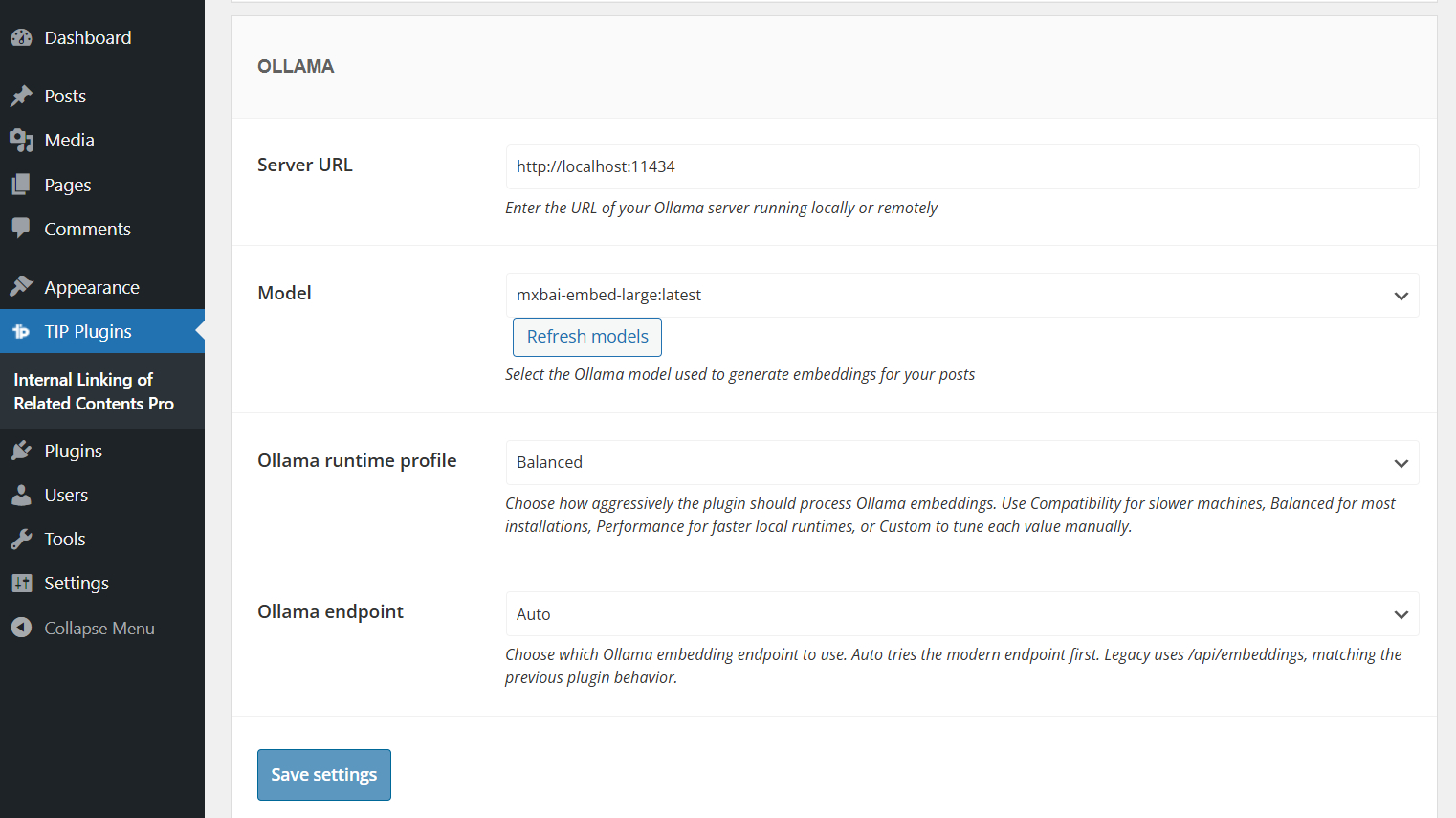
If you choose Ollama as provider, you can also configure additional options such as the runtime profile, endpoint mode, and custom generation limits.
For more details, please refer to the Ollama configuration documentation.
Start embeddings generation
After this initial setup, you can proceed with generating embeddings for your site content.
Generation can be performed on a limited set of articles or across all content.
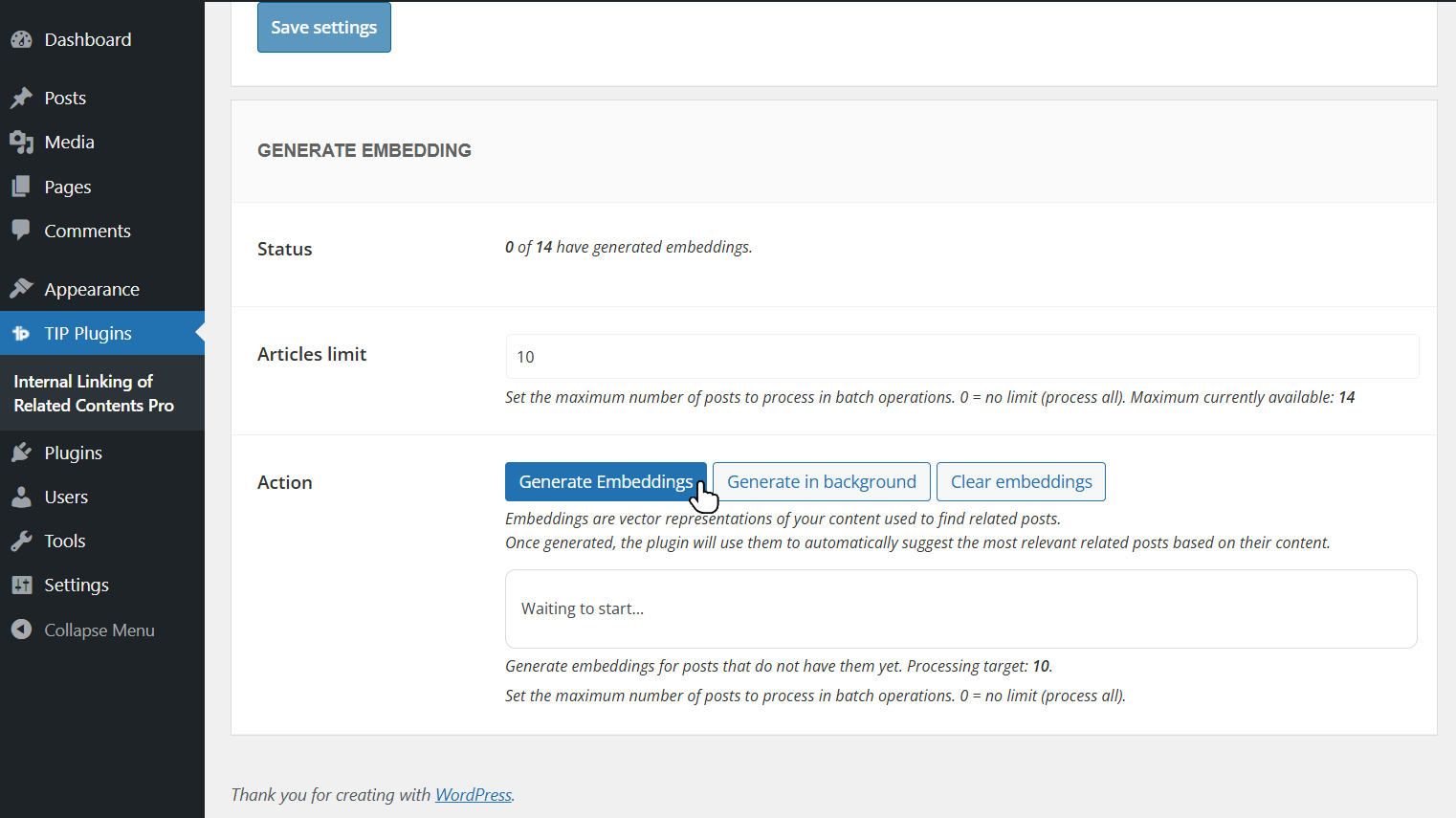
If your site contains a large number of articles, it is recommended to process them in batches (for example, 50 articles at a time), as the system will automatically generate embeddings only for those that do not yet have one.
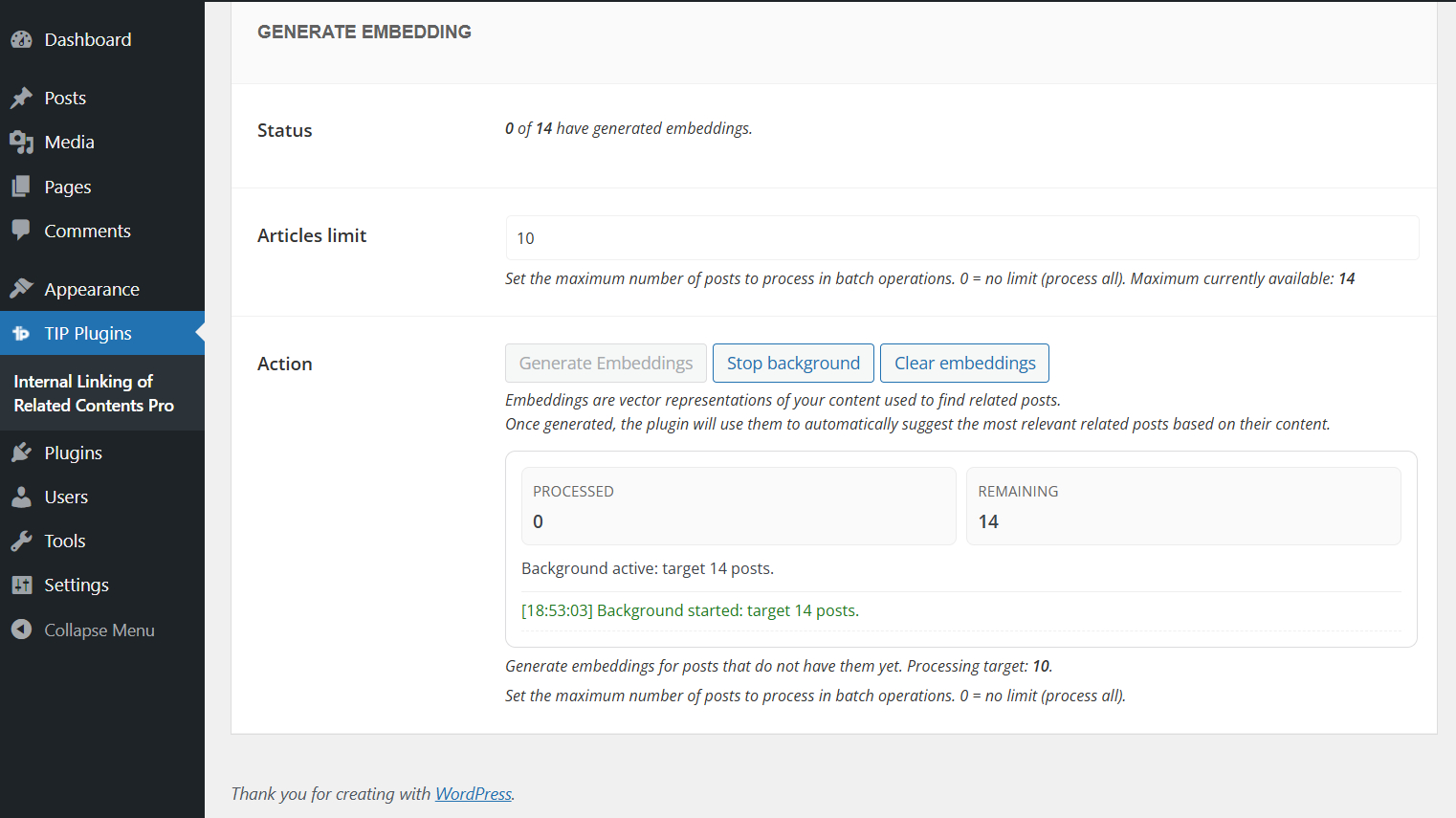
The process can also be started in background.
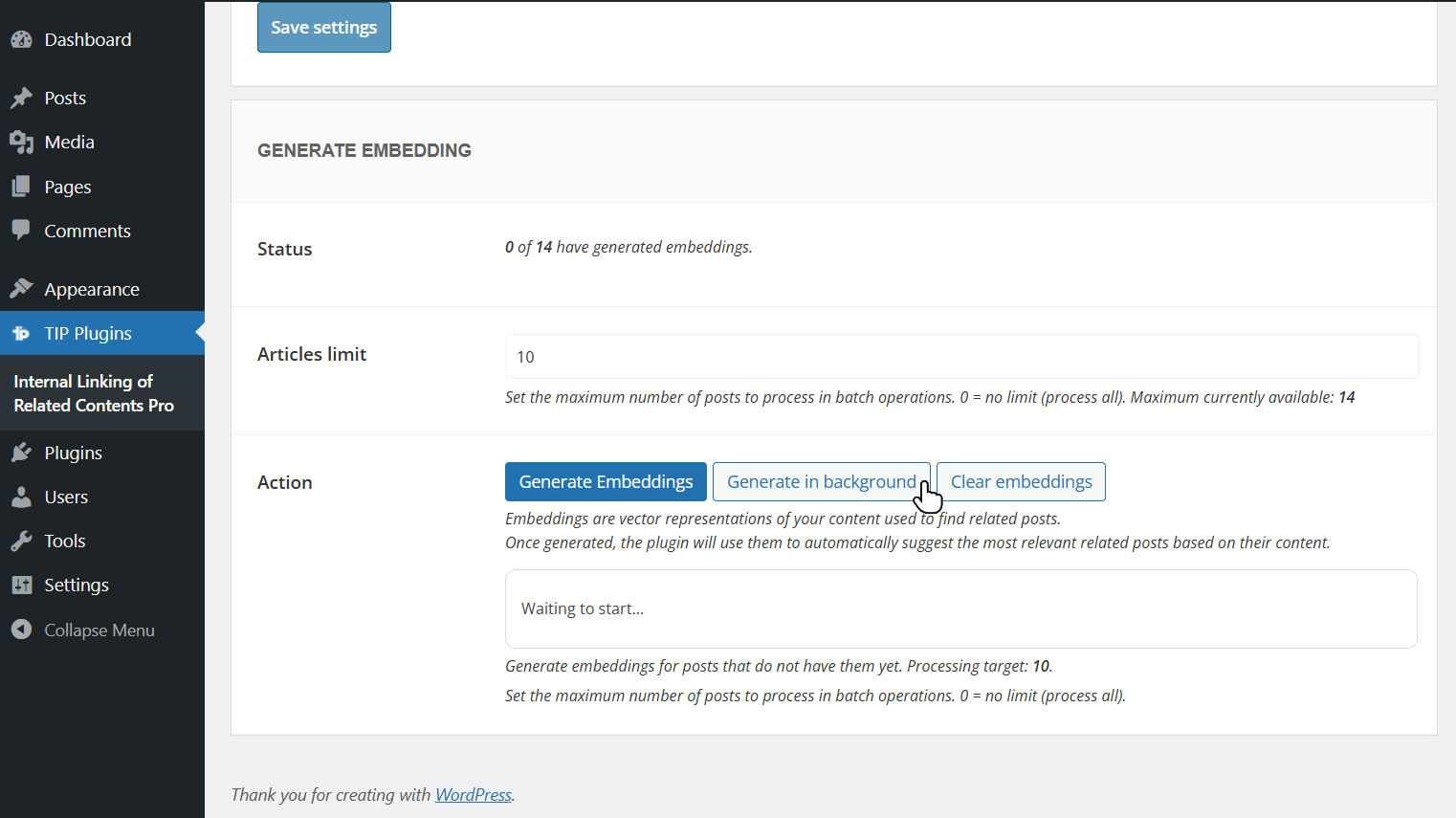
In this case, you can leave the page during processing, but you will not be able to start a new generation until the current one is completed.
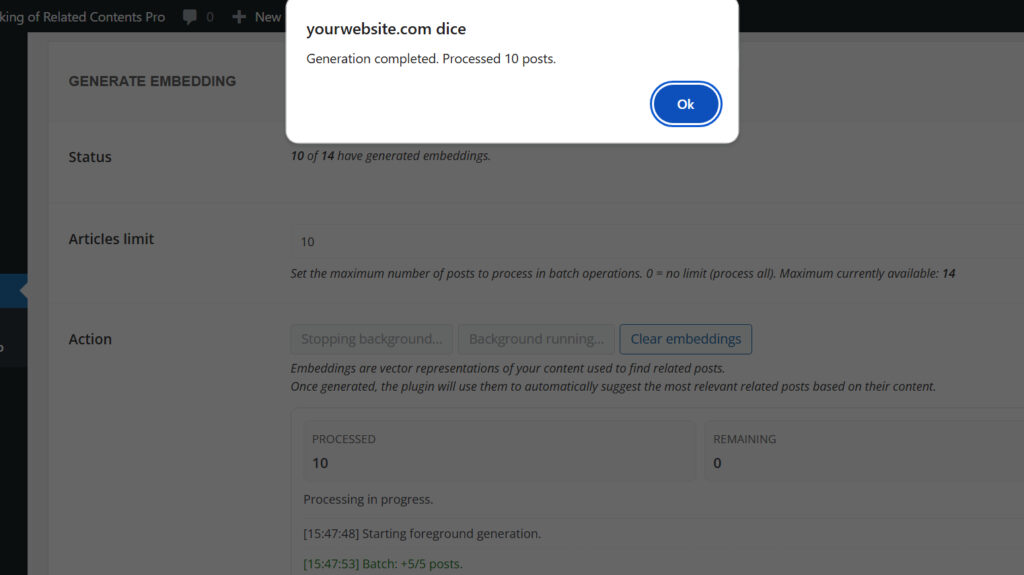
At the end, the system will display a completion notification.
Background generation uses the native WordPress cron system. On sites with low traffic, the process may take longer to complete, because scheduled tasks are usually triggered when the site receives visits.
For small websites using the OpenAI API, for example 50–100 posts, foreground generation is usually faster and typically completes in about 1 or 2 minutes, depending on the server and API response times.
During embeddings generation, the plugin may display log messages related to progress, background processing, errors, or partial indexing.
You can learn more in the generation log messages documentation.
If needed, you can also clear the embeddings table by clicking the dedicated button.
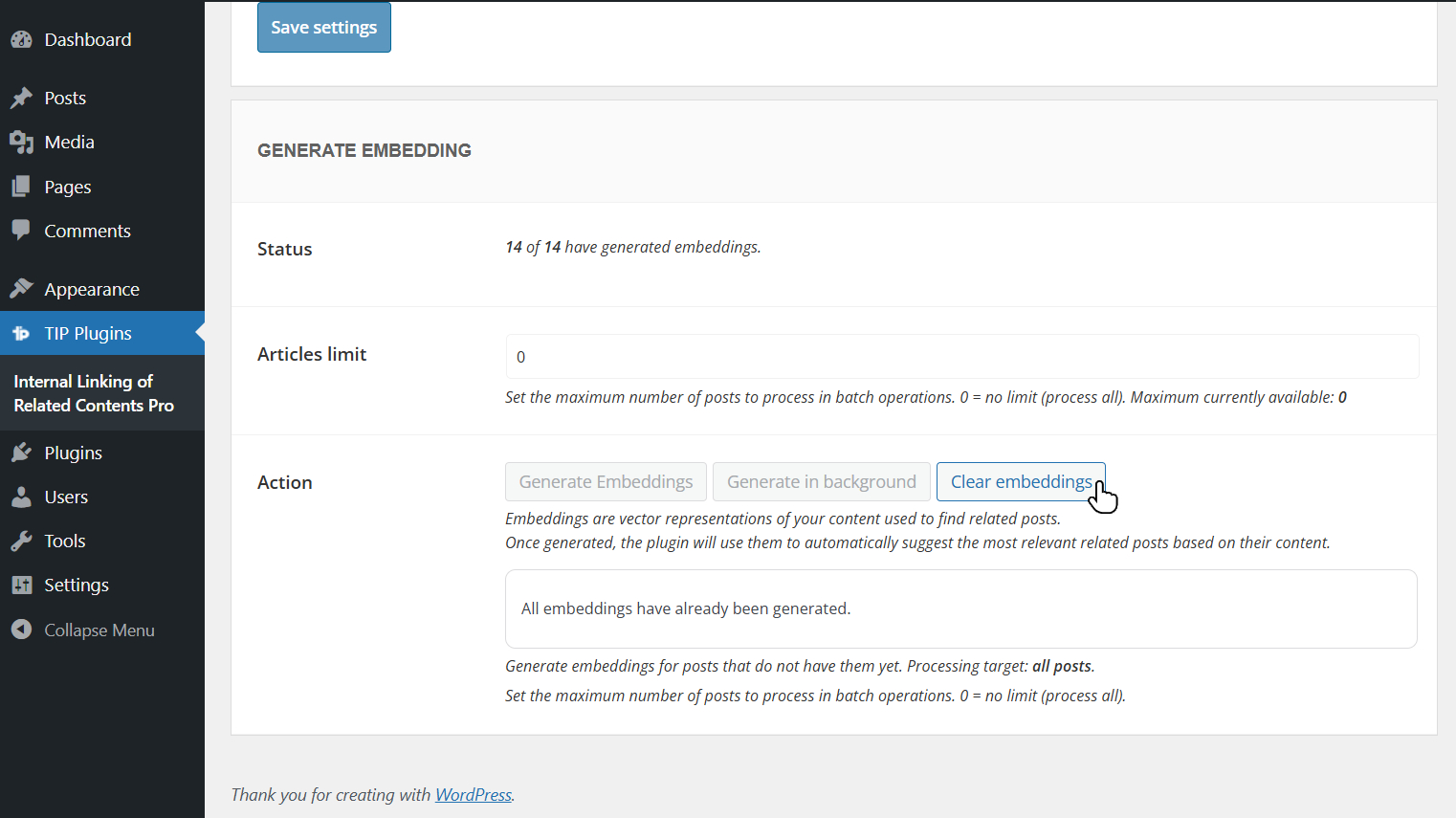
This operation is particularly useful for local testing or when you want to regenerate embeddings using a more advanced model.
Once embeddings are generated, you need to select the AI Engine option as the plugin search method.
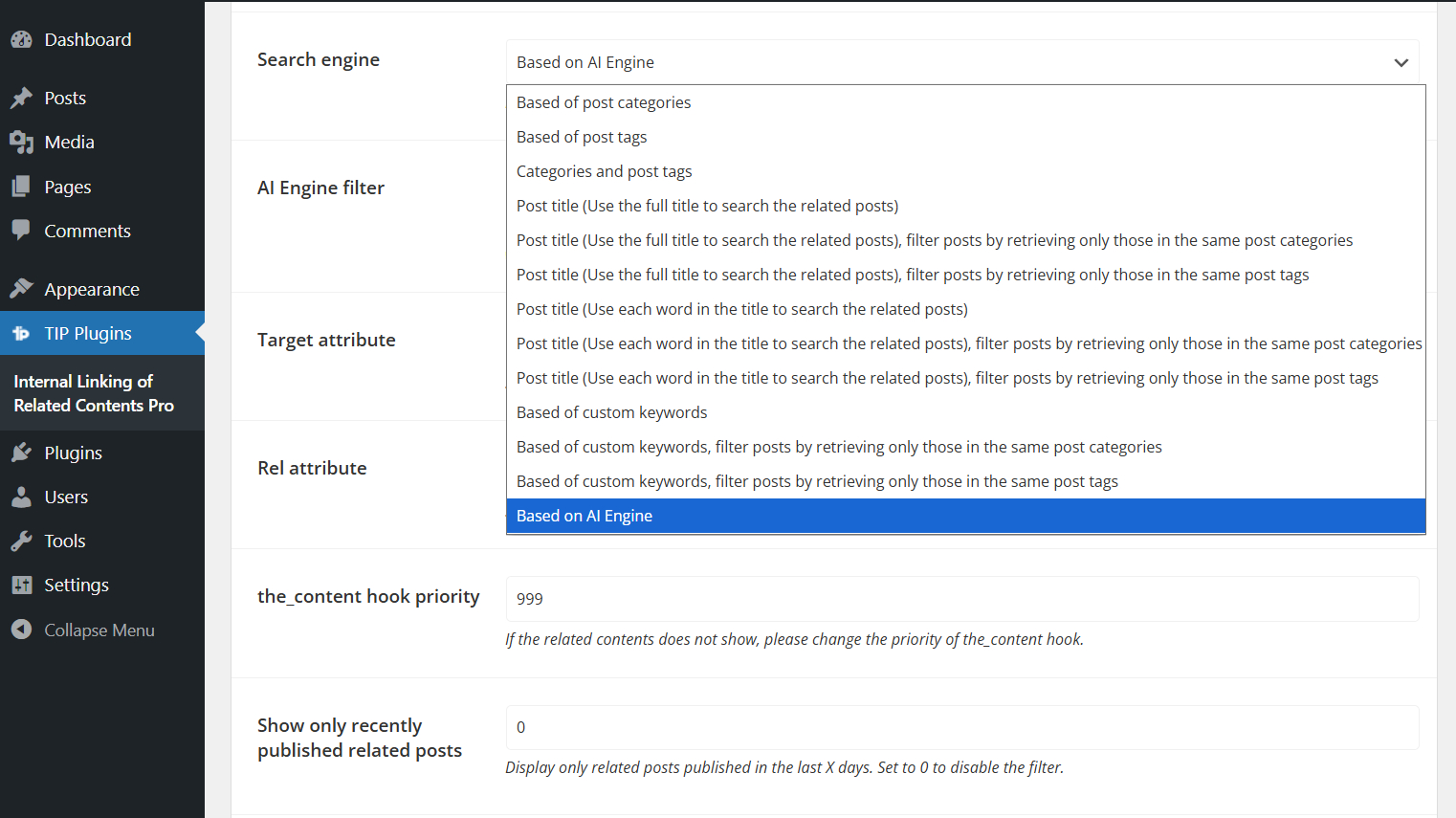
In this way, link suggestions will be based on semantic analysis of your content.
When AI Engine is selected as the search method, the Order by and Sort order options are automatically hidden, because related posts are ordered by semantic similarity instead of standard sorting rules.
You can also choose whether to filter AI Engine results by taxonomy terms.
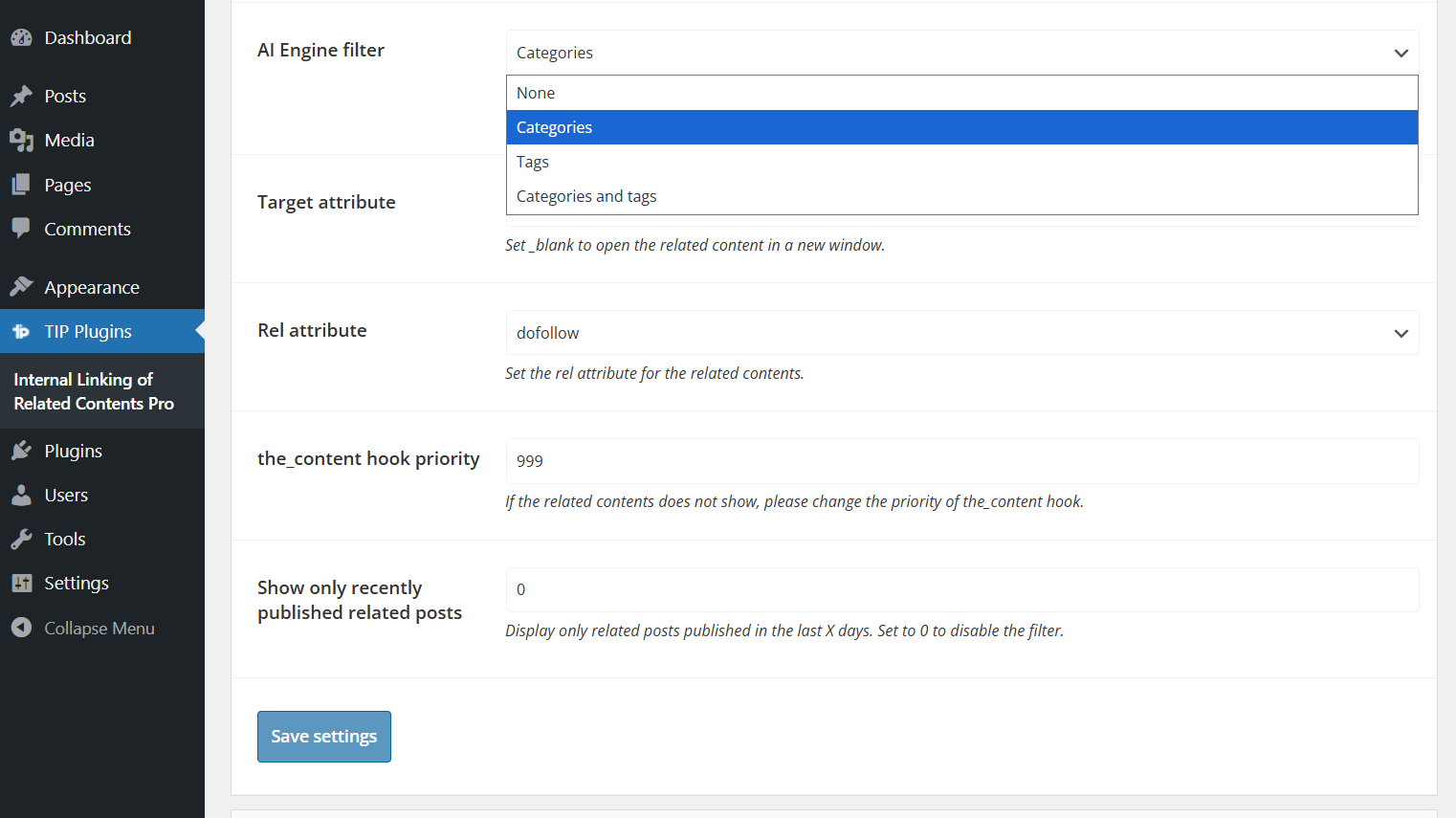
Use None to avoid filtering related posts.
Use Categories, Tags, or Categories and tags to restrict candidates to posts that share the selected taxonomy terms with the current article.
Generation for specific articles
In addition to bulk generation, you can create an embedding for a single article directly from the edit page using the dedicated button.
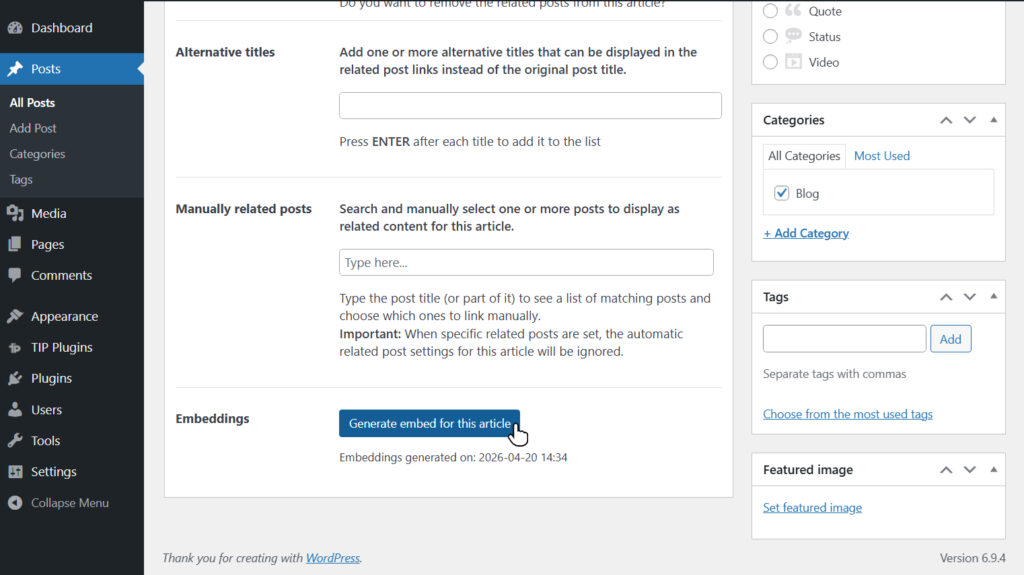
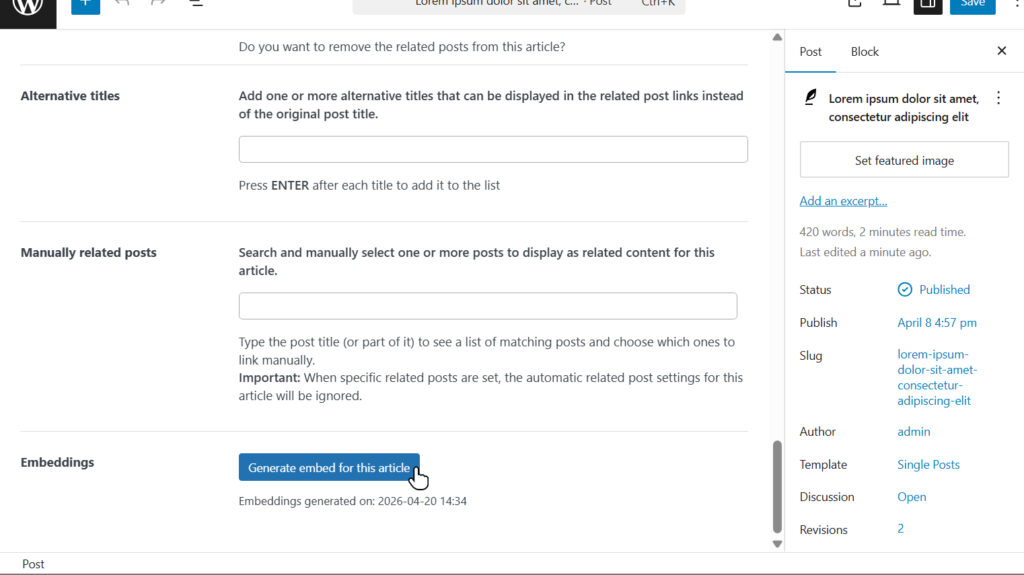
In this case, the configured provider and model will be used automatically.
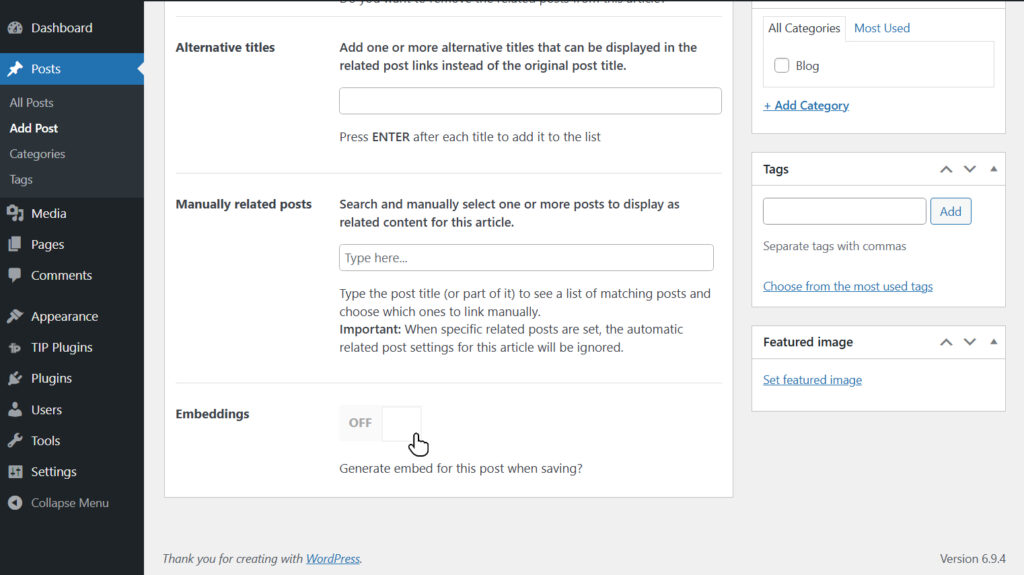
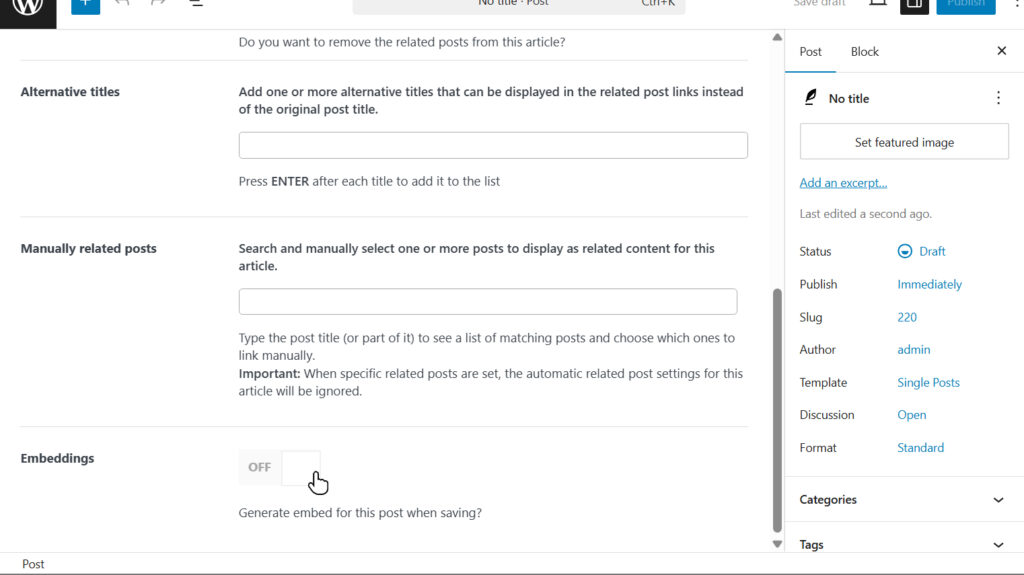
During the creation of new content, embeddings are not generated automatically, but can be created manually if needed.
If an article undergoes significant changes, it is recommended to regenerate the embedding to maintain the quality of suggestions.
For minor updates, regeneration is not necessary, as the semantic representation remains largely valid.
Important: When using the Use embeddings from Tip Related Posts Pro plugin provider, embedding generation is managed entirely by Tip Related Posts Pro.
The generation buttons and automatic generation options available in this plugin are therefore disabled.
Database impact
The plugin creates a dedicated table for storing embeddings: {prefix}ilrcp_post_embeddings, with one row per indexed post.
Each row stores the embedding vector in the embedding field, the post type in the post_type field, and metadata about the provider, model, and runtime configuration in the embedding_info field.
The storage impact mainly depends on the embedding dimension and grows linearly with the number of indexed posts.
As a general reference, small or medium models (384–1024 dimensions) typically require about 5 KB to 20 KB per post, while larger models (2560–4096 dimensions) may require about 30 KB to 70 KB or more per post.
In most installations, this remains manageable. However, high-dimension models can significantly increase the total database size on sites with a large content library.
Costs
Generating embeddings using OpenAI APIs has a very low cost.
For an article of approximately 1,000 words, the cost is typically a fraction of a cent, making this solution suitable even for large-scale content archives.
In a real-world test using the text-embedding-3-large model, generating embeddings for 63 articles of approximately 1,500 words each cost about $0.03 in total.
This means that the average cost per article was negligible, confirming that embedding-based related posts can scale efficiently across websites with extensive editorial archives.
Costs are based on token usage and may vary depending on the selected model, article length, and current API pricing.
Advanced users
More experienced users can choose to use a local model via Ollama.
You will need to install one of the models compatible with embeddings; you can consult the full list on the official Ollama website.
This solution also requires that the service be accessible via API, which involves additional network and security configuration.
In most cases, however, using OpenAI APIs remains the simplest and most immediate option, as well as sufficiently affordable for most scenarios.
To make the local model accessible from your site, you can choose one of the following solutions.
Connect the local model to your site using Cloudflare Zero Trust
You can use Cloudflare Zero Trust to expose your local service through a secure and stable tunnel.
This solution requires:
- an active Cloudflare account
- a domain configured on Cloudflare
- installation and configuration of Cloudflare Tunnel (cloudflared) on your local machine
Unlike other solutions, it allows you to use a custom domain and a stable endpoint over time, without requiring manual updates.
For full setup instructions, you can follow the official Cloudflare guide.
This is an advanced setup, recommended for users familiar with networking and command-line configuration.
Connect the local model to your site using Ngrok
If you want to use a local model but do not have experience exposing services over the network, you can use ngrok, a tool that temporarily exposes a local service through a public URL.
In the free version of ngrok, the public URL changes each time the tunnel is restarted, so you will need to update the endpoint in the plugin settings for future use.
You can install ngrok by following the official documentation.
Upcoming features
We plan to introduce additional providers in future releases to expand available options and improve overall flexibility.