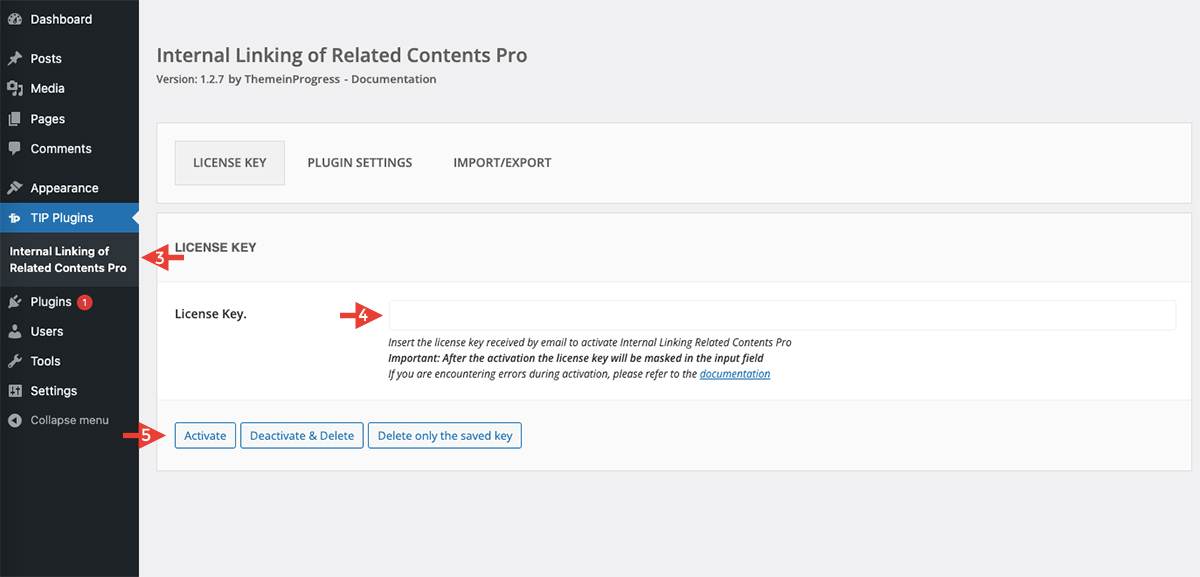
Note: Some screenshots and video tutorials may show a different plugin name, but the interface and settings are also valid for TIP Next Post Pro
To download and install the plugin, please watch this video and follow the steps below:

Download the plugin
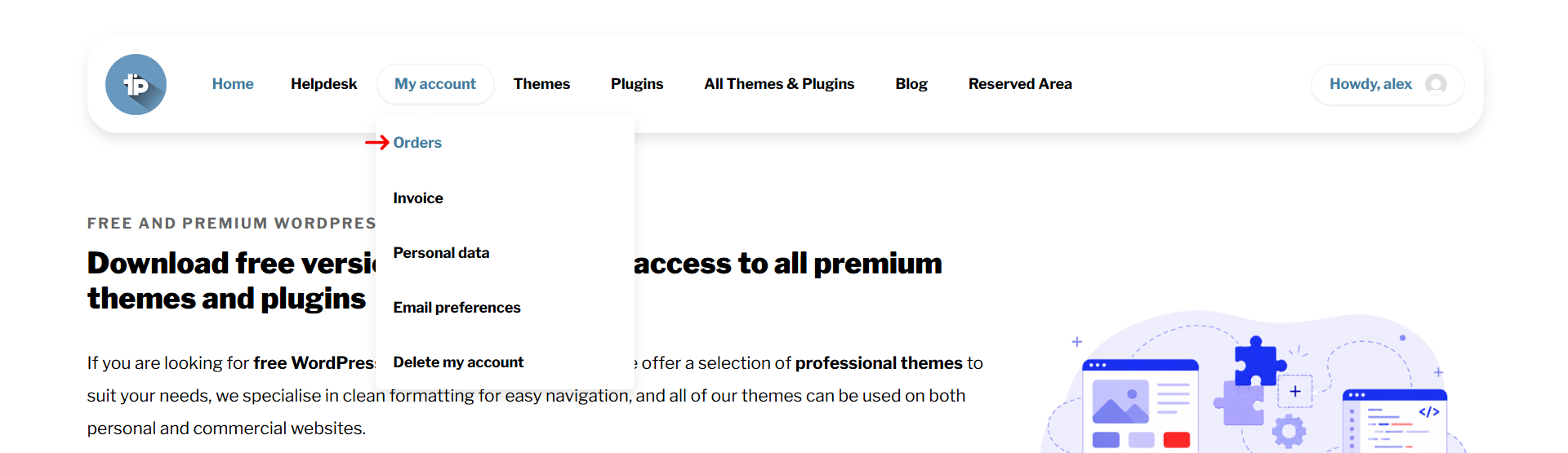
- Login to ThemeinProgress with your credentials
- Go to the My Account > Orders page
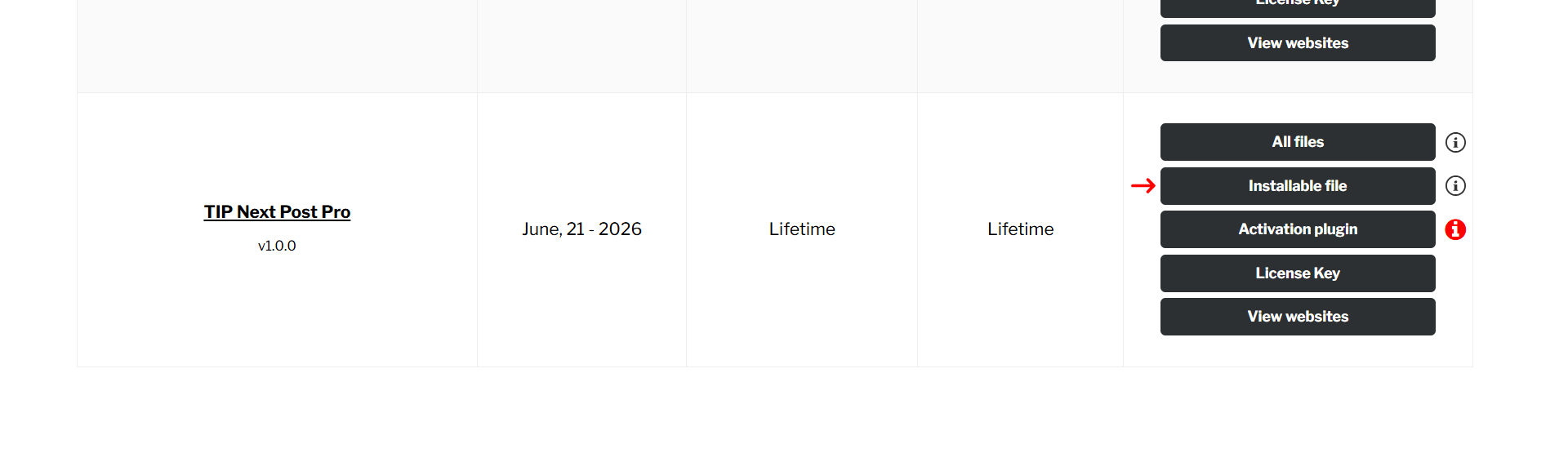
- Download the plugin from the dedicated button
Install and activate the plugin
After downloading the plugin, follow these steps:
- Log in to your WordPress admin dashboard
- Go to ‘Plugins’ and select ‘Add New.’
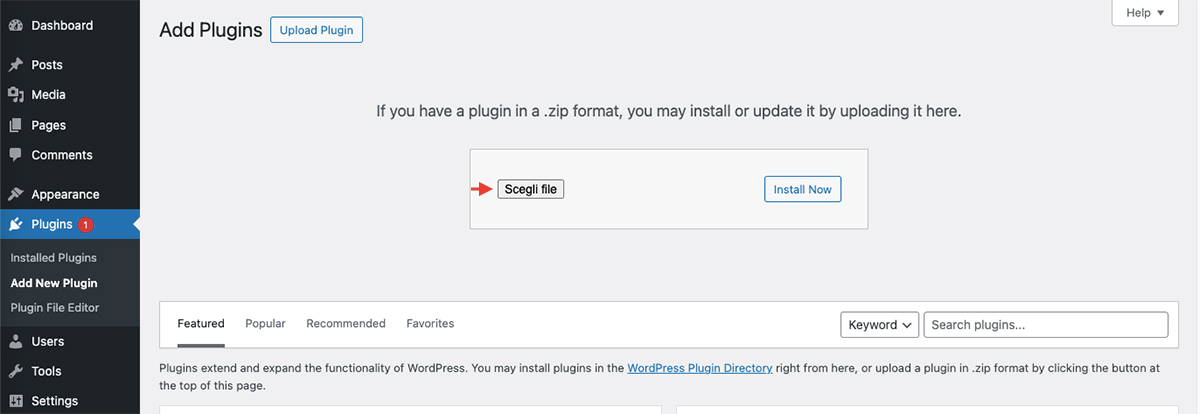
- Click ‘Upload Plugin.’
- Choose the downloaded ZIP file and click ‘Install Now.’
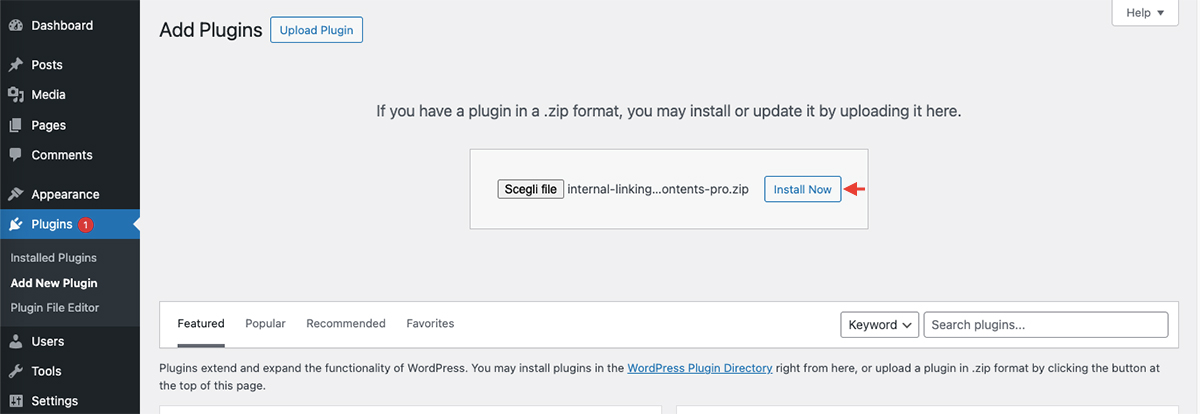
- Activate the plugin after installation is complete
Activate the license key
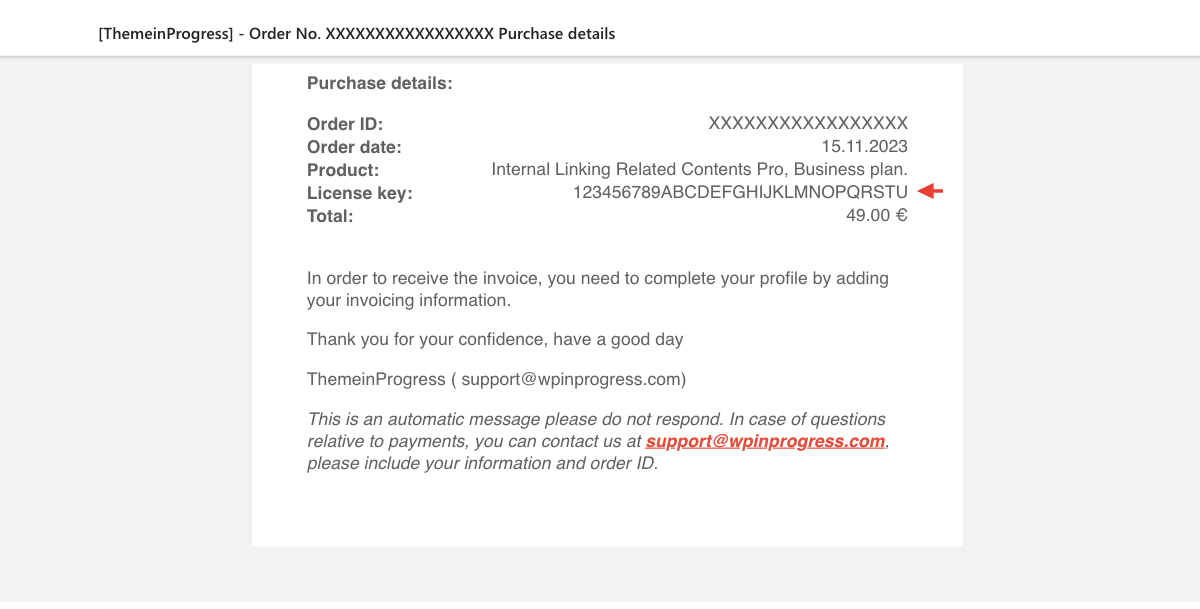
- Copy the license key received after your order
- Log in to your WordPress admin dashboard
- Go to TIP Plugins > TIP Next Post Pro > License Key
- Insert the license key copied previously, as indicated in the first point
- Click ‘Activate’ button
- Enjoy the plugin 🙂