This guide explains how the countdown configurations generated with the plugin are stored in the database.
Countdown configuration
Countdown settings define:
- timer type;
- duration;
- end date;
- recurrence;
- template;
- colors;
- expiry action;
- shortcode;
- countdown ID.
This data determines how the timer should work and appear.
Tracking data
Tracking data is used only for Evergreen timers.
It is used to determine:
- when the timer started for a visitor;
- which record should be reused on subsequent visits;
- whether the countdown should continue or restart.
Tracking data does not contain the full timer configuration. For example, it does not store the template, colors, configured duration, messages, or expiry actions. This information remains in the countdown settings.
Anonymous tracking records
For anonymous methods, the plugin uses the option:
tipcg_countdown_tracking
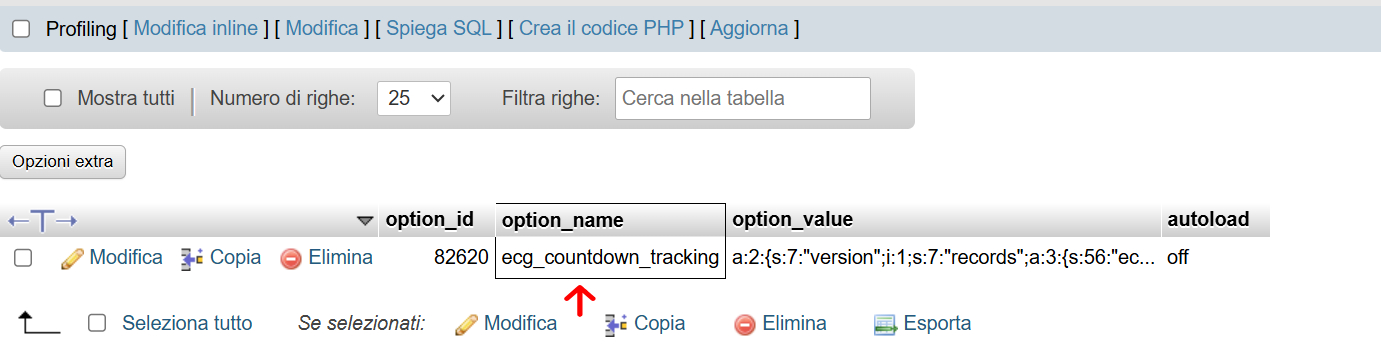
This option stores the tracking records linked to cookies and IP addresses.
Each record can contain:
- timestamp: timer start time;
- created: record creation date;
- updated: last update;
- expires: time after which the record can be removed.
IP, cookies, and data not stored in plain text
For Evergreen tracking management, the plugin does not store the IP address in plain text inside the tracking record.
When IP tracking is used, the plugin generates a hashed version of the IP address and uses this value to build the record key in the database.
Example of an IP-based key:
tipcg_countdown_ip_countdown_1_837ec5754f503cfaaee0929fd48974e7
In this example:
tipcg_countdown_ipindicates that the record is IP-based;countdown_1identifies the countdown;837ec5754f503cfaaee0929fd48974e7is the hashed version of the IP address.
The original IP address is not stored in plain text in the record key.
When cookie tracking is used, the plugin uses a generated cookie identifier to recognize the visitor’s browser.
Example of a cookie-based key:
tipcg_countdown_cookie_countdown_1_tipcg_6a36e64c6ce338.70076691
In this example:
tipcg_countdown_cookieindicates that the record is cookie-based;countdown_1identifies the countdown;tipcg_6a36e64c6ce338.70076691is the visitor’s cookie identifier.
The cookie identifier does not contain the visitor’s name, email address, or IP address. It is used only to recognize the same browser on subsequent visits.
Privacy and GDPR note
The fact that the IP address is not stored in plain text reduces the exposure of the technical data in the database, but tracking data may still be considered pseudonymous data or technical identifiers because it makes it possible to recognize the same visitor, browser, or user over time.
For this reason, it is advisable to assess its use within your privacy policy and, if necessary, within the website’s cookie or consent management tools.
User meta for logged-in users
When the method is Logged-in user and the user is authenticated, the plugin stores the tracking in the user’s user_meta.
The data is linked to the countdown ID.
It mainly contains:
- timestamp;
- created.
In this case, the tracking is associated with the WordPress account of the logged-in user. This allows the Evergreen countdown to remain consistent even if the user changes browser, device, or IP address.
Practical difference
Settings
They answer the question: how should this countdown be configured?
Tracking
It answers the question: when did this countdown start for this visitor or user?
Practical example
- Configured Evergreen duration: 24 hours.
- Visitor’s first access: Monday at 10:00.
- Saved tracking: timestamp for Monday at 10:00.
- Frontend: the timer shows the remaining time until Tuesday at 10:00.
The database does not need to store the remaining time. The plugin calculates the remaining time by comparing the start timestamp with the duration configured in the countdown.
Important
If you change the countdown ID, the old tracking records no longer match the new ID. For Evergreen timers, this can cause the countdown to restart from the beginning.
Likewise, if the cookie is deleted, the IP address changes, or the tracking data is removed by automatic cleanup, the plugin may no longer recognize the visitor and may create a new tracking record.